
Product Specifications
- Brand
- X-Rite
- Part Number
- PANTORA
- Product Type
- Digital Material Appearance Software
- Platform
- Windows 10/11 64-bit
- Native Format
- Appearance Exchange Format (AxF)
- Input Devices
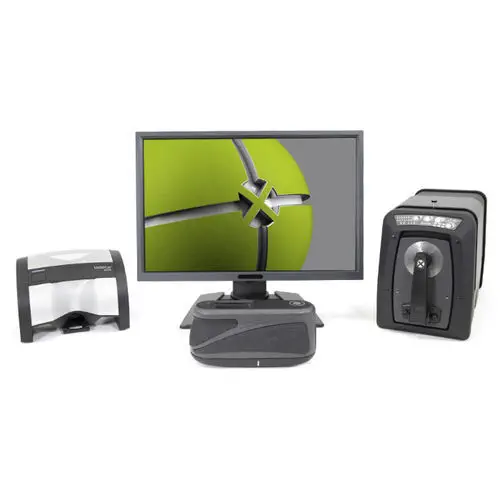
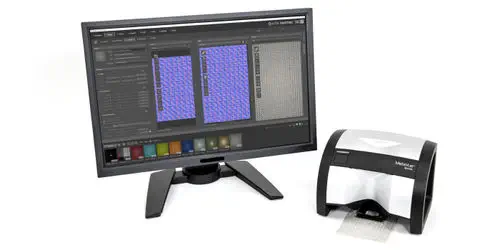
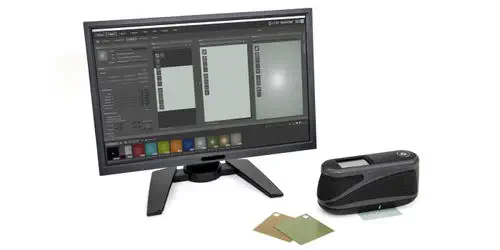
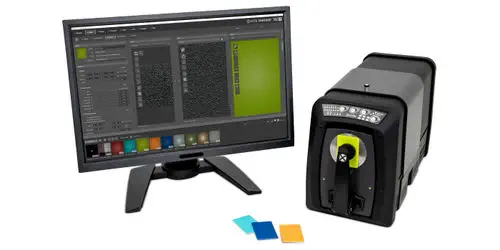
- TAC7 Scanner, MA-T12, Ci7000 Series, MetaVue VS3200
- Rendering Integration
- Autodesk VRED, NVIDIA iRay
- Key Modules
- Material Browser, Material Editor, Variant Editor, Measurement Wizard
Product Description
PANTORA digitizes one of the last analog workflows in product development: the communication of material appearance. Instead of shipping physical color chips, fabric swatches, and painted panels between suppliers and OEMs, teams capture spectral measurements once and share a single AxF file that contains all visual properties — color, gloss, texture, and sparkle — ready for physically accurate rendering in any compatible 3D environment.
How does the AxF format eliminate physical sample shipping?
The Appearance Exchange Format (AxF) is a vendor-neutral, spectral-based file format that stores the complete optical behavior of a material — not just an RGB color value. An AxF file can contain multiple representations (SVBRDF for opaque materials, CPA2 for automotive paints with effect pigments, volumetric for translucent materials) in a single file. When a Tier 1 supplier measures a material once with an X-Rite TAC7 or MA-T12 and shares the AxF file, every downstream stakeholder — OEM designers, rendering specialists, PLM managers — sees the same physically accurate appearance under any lighting condition. This eliminates the weeks of back-and-forth physical sample shipping that traditional material approval workflows require.
What types of material appearance can PANTORA capture and edit?
PANTORA handles the full range of industrial materials. Opaque surfaces — plastics, metals, textiles — use the parametric Microfacet BRDF model (GGX or Ward). Automotive metallic paints use the CPA2 representation with color-flop and effect pigment simulation. Translucent and transparent materials are supported via the volumetric representation. The Material Editor lets users combine measurements to create new virtual materials — for example, recoloring a textured leather with a metallic paint's spectral data — building digital material libraries without re-measuring every variant.
Frequently Asked Questions
What measurement devices connect to PANTORA?
PANTORA supports the X-Rite TAC7 scanner for total appearance capture (full BRDF/BTF measurement), the MA-T12 multi-angle spectrophotometer for effect paints and coatings, the Ci7000 series benchtop sphere spectrophotometers for translucent and highly specular materials, the MetaVue VS3200 non-contact imaging spectrophotometer for textured surfaces like textiles and leather, and the Rhopoint PANTORA Aesthetix for high-resolution surface topography.
Which rendering and PLM platforms does PANTORA integrate with?
PANTORA exports AxF files directly to Autodesk VRED Professional (2016 and 2017), NVIDIA iRay 2016-2, and any application supporting the AxF SDK. The Dassault Systèmes 3DEXPERIENCE platform supports AxF 1.7 and above. A free PANTORA AxF Viewer allows stakeholders without a full PANTORA license to view and evaluate digital materials in real time.
What are the system requirements?
PANTORA runs on Windows 10/11 64-bit. Minimum requirements: Intel Xeon or Core i7 with 8 virtual cores, NVIDIA Quadro or GeForce GPU with 2 GB VRAM and OpenGL 4.0 support, 16 GB RAM, and 1 TB free storage. An SSD and a dedicated Gigabit Ethernet adapter are recommended for TAC7 scanner workflows.
X-Rite PANTORA Digital Material Appearance Software for Realistic 3D Rendering and PLM
Product Specifications
- Brand
- X-Rite
- Part Number
- PANTORA
- Product Type
- Digital Material Appearance Software
- Platform
- Windows 10/11 64-bit
- Native Format
- Appearance Exchange Format (AxF)
- Input Devices
- TAC7 Scanner, MA-T12, Ci7000 Series, MetaVue VS3200
- Rendering Integration
- Autodesk VRED, NVIDIA iRay
- Key Modules
- Material Browser, Material Editor, Variant Editor, Measurement Wizard