
Product Specifications
- Brand
- PRIMA POWER
- Part Number
- NC Express
- Product Type
- Sheet Metal CAD/CAM Programming Suite
- Series
- NC Express
- Platform
- Windows 64-bit
- 3D CAD Import
- STEP, IGES, ACIS, Parasolid, Catia, Creo, NX, Inventor, Solid Edge, SolidWorks
- 2D Import
- DXF, DWG
- Nesting
- Automatic Free-Shape and Rectangular Nesting
- ERP/MRP Integration
- Direct Order Database Connection
- Reporting
- Setup Reports, Production Reports, Cost Reports with Cycle-Time Estimation
- Simulation
- NC Program Verification Using Machine Controller Kinematics
- Licensing
- Network Floating License
Product Description
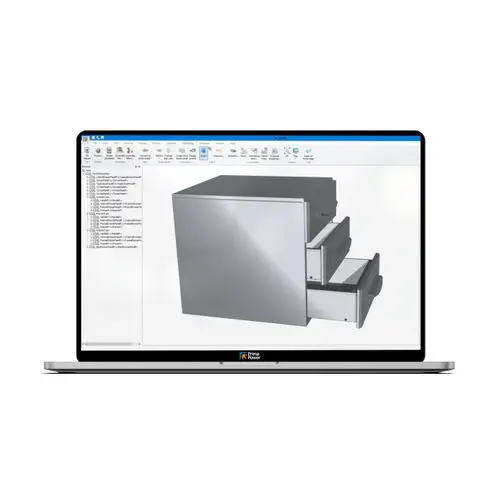
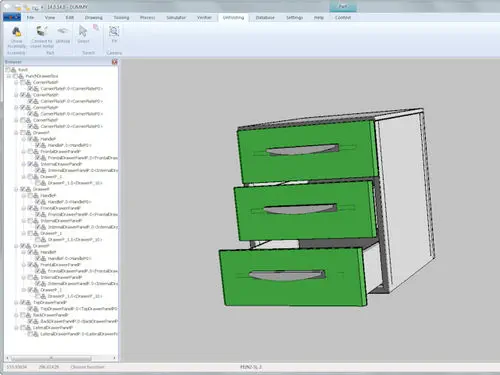
NC Express e3 is Prima Power's unified software ecosystem for programming its full range of sheet metal fabrication machines — 2D laser cutters (Platino, Syncrono, Domino with bevel cutting), punch presses, press brakes, and combi punch/laser systems. Rather than treating CAD import, nesting, toolpath generation, NC code output, and production reporting as separate applications that pass files between them, NC Express integrates all these functions into a single environment with shared data structures: the same part geometry that drives nesting also populates the setup report and the cost estimate, and the same NC code that runs the machine also drives the simulation that verifies it. The software's e3 generation adds a modern ribbon-style interface with customisable toolbars and keyboard shortcuts, reflecting the daily-use reality that an applications engineer may spend more time in NC Express than in any standalone CAD package.
How does the order management and ERP integration work?
NC Express maintains a central order database that can import job data directly from an MRP or ERP system. An incoming order — part number, quantity, material grade and thickness, due date — arrives in the database and is matched against the existing part library. Known parts are automatically nested and post-processed without operator intervention. New parts follow the CAD import → unfold → tool application → nesting → NC code pipeline, with the ERP system receiving status updates at each stage. When the job is complete, the production report — parts cut, material consumed, machine time, any operator overrides — is fed back to the ERP for cost tracking and inventory adjustment. Tulus Office, Prima Power's companion production management application, adds calendar-based machine scheduling and a single-view dashboard for monitoring all connected machines.
What nesting and tooling logic does NC Express apply?
The nesting engine handles free-form (true-shape) and rectangular parts with automatic stock-sheet selection — the software searches available sheet sizes and grades to minimise material consumption per job. Part-in-part nesting places smaller parts inside the scrap windows of larger parts, and remnant-sheet management tracks partially used sheets for future jobs. Common-edge cutting and laser grid cutting are supported for machines equipped with these functions. On the tooling side, NC Express automatically selects punch tools based on part geometry, respects the tool stations physically loaded in the machine's turret, synchronises tool data with Tulus to ensure diameter and station assignments match, and sequences operations to minimise turret rotation time. For press brakes, the software calculates bend sequences, tool selection, and back-gauge positions — the parameters that determine whether a part comes out within tolerance on the first test bend.
Resources & Documentation
PRIMA POWER NC Express Sheet Metal CAD/CAM Programming Suite with ERP Integration
Product Specifications
- Brand
- PRIMA POWER
- Part Number
- NC Express
- Product Type
- Sheet Metal CAD/CAM Programming Suite
- Series
- NC Express
- Platform
- Windows 64-bit
- 3D CAD Import
- STEP, IGES, ACIS, Parasolid, Catia, Creo, NX, Inventor, Solid Edge, SolidWorks
- 2D Import
- DXF, DWG
- Nesting
- Automatic Free-Shape and Rectangular Nesting
- ERP/MRP Integration
- Direct Order Database Connection
- Reporting
- Setup Reports, Production Reports, Cost Reports with Cycle-Time Estimation
- Simulation
- NC Program Verification Using Machine Controller Kinematics
- Licensing
- Network Floating License