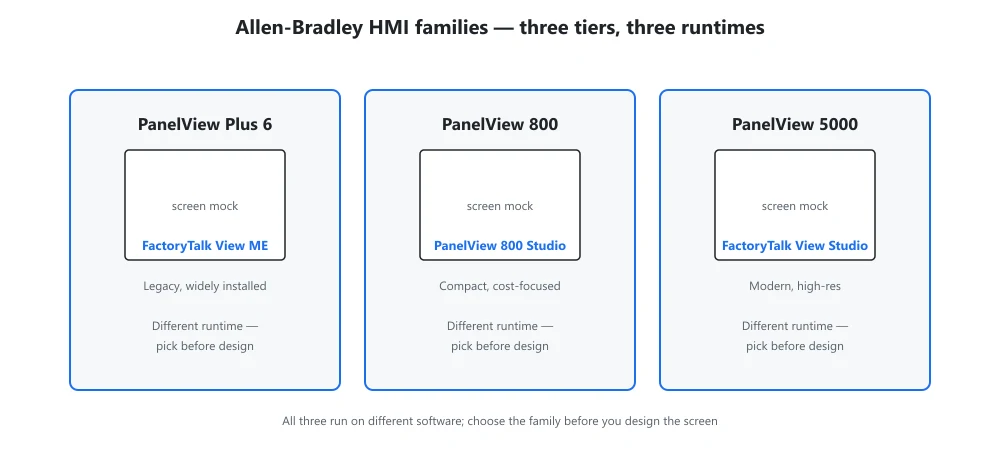
Direct answer: Allen-Bradley offers three main HMI families: PanelView Plus 6 on FactoryTalk View ME, PanelView 800 on View Designer for economical jobs, and PanelView 5000 on View Designer for high-performance graphics. They do not share software. Start with your existing standard and screen or runtime demand: 800 for cost, Plus 6 to protect View ME, 5000 for dense graphics.
Three Allen-Bradley HMI families cover most panels, but they do not run the same software or suit the same job. PanelView Plus 6 uses FactoryTalk View ME on a mature terminal; PanelView 800 runs View Designer on an economical panel; PanelView 5000 is the high-performance tier for large, graphics-heavy applications. Match the family to screen size and runtime demand first.
| Family | Configuration software | Best fit |
|---|---|---|
| PanelView Plus 6 | View ME | Legacy ME migrations, 4–15 in |
| PanelView 800 | View Designer | Cost-sensitive, 4–10 in, basic HMI |
| PanelView 5000 | View Designer | Large 19 in+, dense graphics, high tag counts |
Matching a family to the job
PanelView 800 for the economical edge
PanelView 800 is the low-cost choice for simple visualization on a single machine: small screens, a streamlined configuration tool, and just enough tags for basic monitoring and pushbuttons. Use it where price drives the spec and the operator only needs local status and control.
PanelView Plus 6 when you already run View ME
PanelView Plus 6 speaks FactoryTalk View ME, the same runtime as Plus 7, so it drops into an installed base that already maintains View ME applications. Choose it when standardizing on existing ME projects matters more than the newer terminal hardware.
PanelView 5000 for the visualization-heavy job
PanelView 5000 targets data-rich, multi-screen visualization with View Designer and larger panels plus deeper alarm and trend capability. Pick it for supervisory stations and OEM machines where the screen does real HMI work rather than a single status page.
Selection decision tree
- Already standardized on View ME? → PanelView Plus 6
- Budget-sensitive, 4 to 10 in, basic HMI? → PanelView 800
- Large 19 in plus, dense graphics, high tag counts? → PanelView 5000
All three belong to the broader HMI and industrial PC category, so cross-family migration is a software and screen-size decision rather than a platform rebuild.
PanelView HMI FAQ
Can a PanelView 800 project open in a 5000?
No. PanelView 800 uses its own configuration software and PanelView 5000 uses View Designer, so the project files are not interchangeable. Plan a manual conversion of screens and tags if you move between these families.
Which family supports the most controller connections?
PanelView 5000 supports the highest connection counts and largest applications, followed by the Plus families running View ME. PanelView 800 is deliberately limited to keep it economical, so it is the wrong pick when one screen must talk to many controllers at once.
Related reading: OPC UA and MQTT in industrial HMIs